Resilience Administration
This page describes the administration part of the Resilience.
Warning
On Failover, some manual steps are required. When moving to Standby/Main, remember to wait:
for the services to be ready on the target xivo: xivo-service status all
for the restarted xuc to be ready: xivocc-dcomp logs -f xuc
Finally the users must refresh their browser windows before reconnecting to the UC Apps (UC/CCAgent/Switchboard/…).
Administration
General Information on Resilience
Resilience Modes
Node type and statuses
Node type and status can be seen in the admin web interface header.

Disable node
Default status of Resilience is disabled:
Warning
You should not disable an HA node in production as it will break the configuration and restart some services.
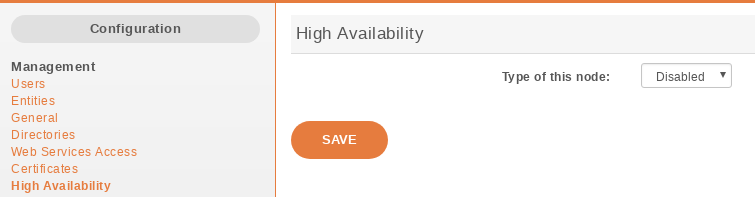
HA Dashboard Disabled (default state)
Important
You have to restart services (xivo-service restart) once the main node is disabled.
Main node
In choosing the method Main you must enter the IP address of the VoIP interface of the standby node.
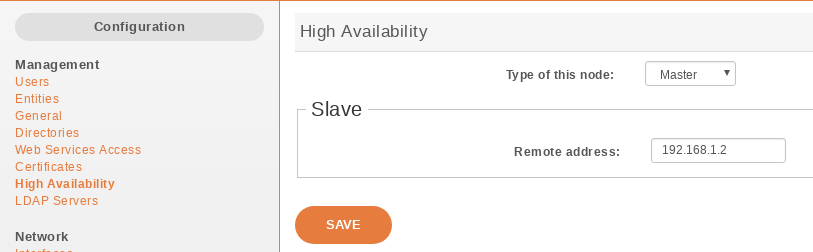
HA Dashboard Main
Important
You have to restart all services (xivo-service restart) once the main node is configured.
Standby node
In choosing the method Standby you must enter the IP address of the VoIP interface of the main node.
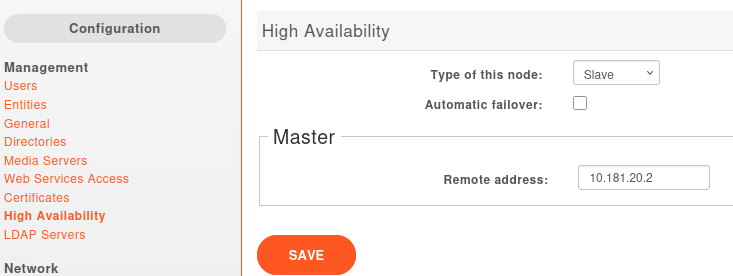
HA Dashboard Standby
Visuals
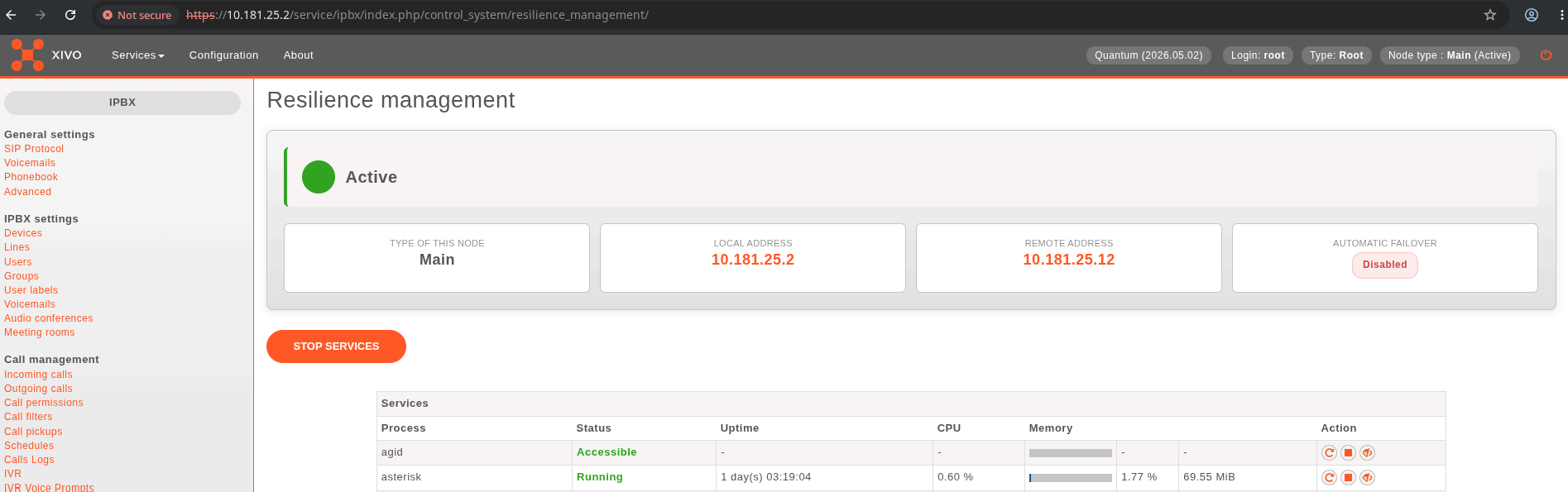
Once resilience is activated either as Main or Standby, an extra table becomes available in the monitoring page.
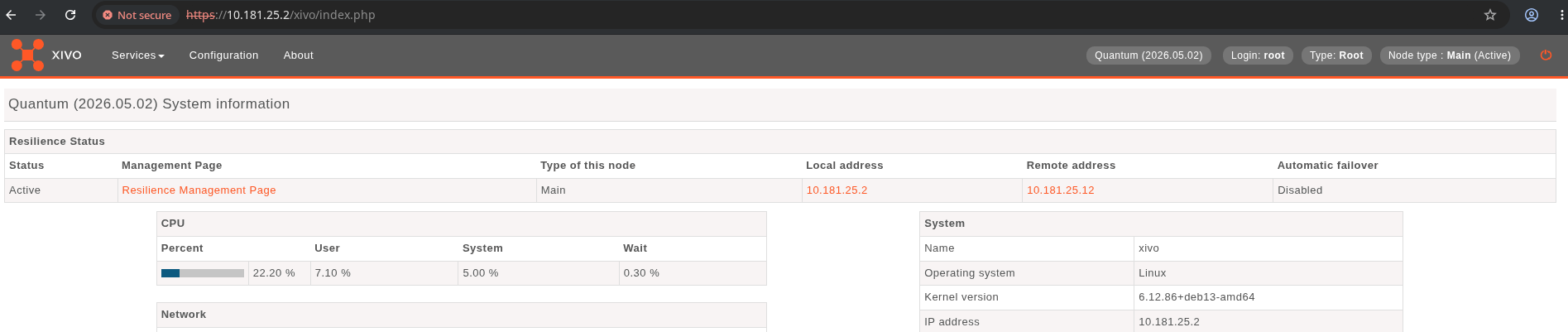
The Resilience Management Page provides more informations. It can be accessed by link on the monitoring page or under
Scripts
4 scripts are used to manage services and data replication.
xivo-master-slave-db-replication <standby_ip>is used on the main to replicate the main’s data on the standby server. It runs on the main.xivo-manage-slave-services {start,stop}is used on the standby to start, stop monit and asterisk. The services won’t be restarted after an upgrade or restart.xivo-check-master-status <main_ip>is used to check the status of the main and enable or disable services accordingly.xivo-syncis used to sync directories from main to standby.On CC
xivocc-ha-monitoringis used to monitor Resilience state on its linked XiVO to start or stop nginx service.
Replication can be started manually by running the replication scripts on the main:
xivo-master-slave-db-replication <standby_ip>
xivo-sync
Running xivo-sync -i will create a passwordless SSH key on the main, stored under the /root/.ssh directory,
and will add it to the /root/.ssh/authorized_keys file on the standby.
Note
If you want to try the ssh logging as advised by the ssh-copy-id script, you must select
the new key to be used by ssh: ssh -i /root/.ssh/xivo_id_rsa root@<standby_ip>
Automatic Configuration Change
Warning
When the HA is configured, some changes will be automatically made to the configuration of XiVO. Do not change these values when the HA is configured, as this may cause problems. These values will be reset to blank when the HA is disabled.
SIP Expiry
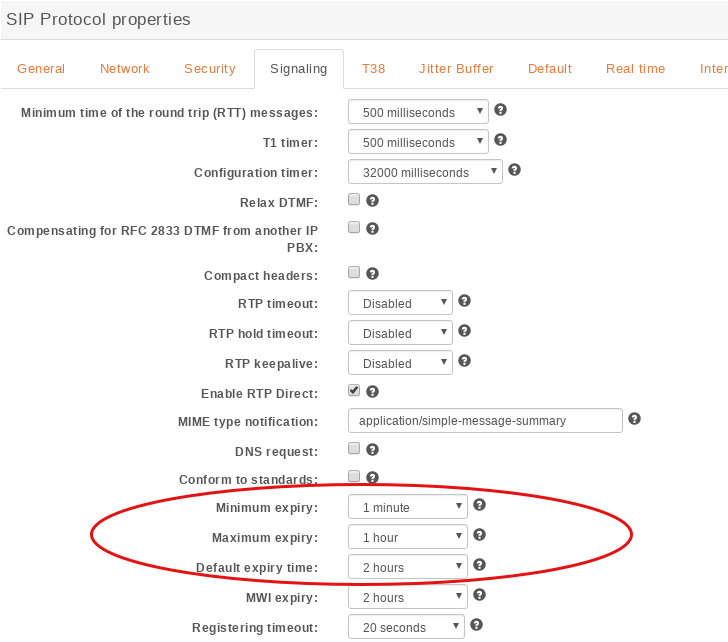
SIP expiry value on main and standby will be automatically updated:
min: 1 minutes (default: 1 minute)
max: 5 minutes (default: 1 hour)
default: 2 minutes (default: 2 minutes)
Provisioning: Template Line
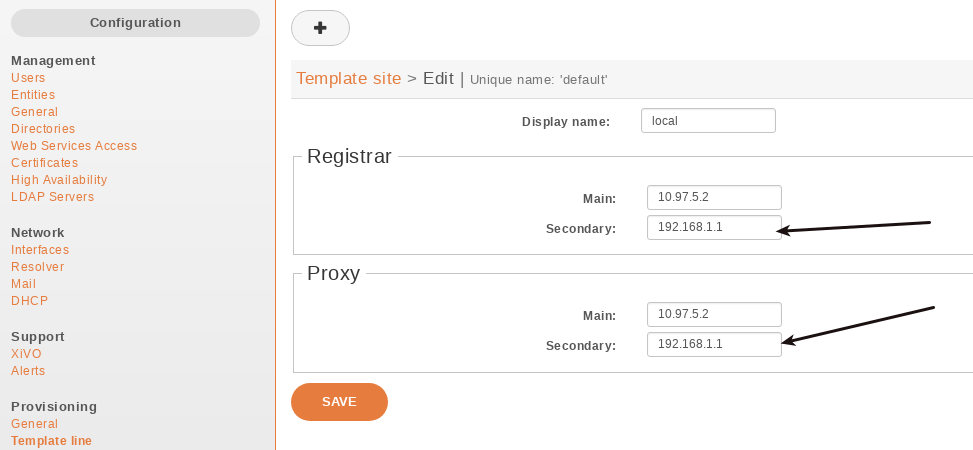
The provisioning server configuration will be automatically updated in order to allow phones to switch from XiVO power failure.
Important
For the telephony devices to take the new proxy/registrar settings into account, you must resynchronize the devices or restart them manually.
Logging
Reslience operation can be monitored in the following logs:
On XiVO PBX (Main or Standby):
/var/log/xivo-sysconfd.log:grep 'Updating resilience state' /var/log/xivo-sysconfd.log 2026-04-23 17:47:22,395 [9857] (INFO) (xivo_sysconf.modules.ha): Updating resilience state, from: False to: True 2026-04-23 18:04:56,490 [9857] (INFO) (xivo_sysconf.modules.ha): Updating resilience state, from: True to: False
On XIVO CC (Main or Standby):
/var/log/syslog:grep xivocc-ha /var/log/syslog 2026-04-23T17:12:01.088629+02:00 haXivocc xivocc-ha: [RESILIENCE] Querying HA status at https://10.181.20.12/configmgt/api/2.0/sysconfd/get_ha_config 2026-04-23T17:12:01.228730+02:00 haXivocc xivocc-ha: [RESILIENCE] HA config shows active=false 2026-04-23T17:12:01.285168+02:00 haXivocc xivocc-ha: [RESILIENCE] Nginx already stopped
On Edge: in nginx and kamailio logs:
edge-dcomp logs -t kamailio |grep "WAR.*Destination"

kamailio-1  | 2026-04-23T15:55:14.222395375Z 13(20) WARNING: <script>: Destination down: OPTIONS sip:10.181.20.2:5060;transport=udp (<null>)
kamailio-1  | 2026-04-23T16:05:44.238528368Z 13(20) WARNING: <script>: Destination down: OPTIONS sip:10.181.20.12:5060;transport=udp (<null>)
kamailio-1  | 2026-04-23T16:06:03.739168324Z 12(19) WARNING: 10.181.20.2:5060 - 4f36849712bb6f27-20@0.0.0.0 - OPTIONS - <null> <script>: Destination up: OPTIONS sip:10.181.20.2:5060;transport=udp

edge-dcomp logs -t nginx|grep "temporarily disabled"

nginx-1  | 2026-04-23T16:00:40.612739761Z 2026/04/23 16:00:40 [warn] 108#108: *166 upstream server temporarily disabled while connecting to upstream, client: 10.182.20.3, server: edge-bis.test.avencall.com, request: "GET /config/showAppDownload HTTP/1.1", upstream: "https://10.181.20.3:443/config/showAppDownload", host: "edge-ealbis.test.avencall.com", referrer: "https://edge-bis.test.avencall.com/"