Integration of XiVO dird with the rest of XiVO
Configuration values
Personal contacts
Here are the list of available attributes of a personal contact:
idcompanyemailfaxfirstnamelastnamemobilenumber
To be able to edit and delete personal contacts, you need a column of type personal in your display.
Adding the personal column to your display
In the web interface under .
Edit the filter on which you which to enable favorites.
Add a column with the type personal and display format personal.
Favorites
Enabling favorites in the XiVO client.
Add a unique_column to your sources.
Add a favorite column to your display
Adding a unique_column to your sources
The web interface does not allow the administrator to specify the unique_column and unique_column_format. To add these configuration options, add a file to /etc/xivo-dird/sources.d containing the same name than the directory definition and all missing fields.
Example:
Given an ldap directory source using Active Directory named myactivedirectory:
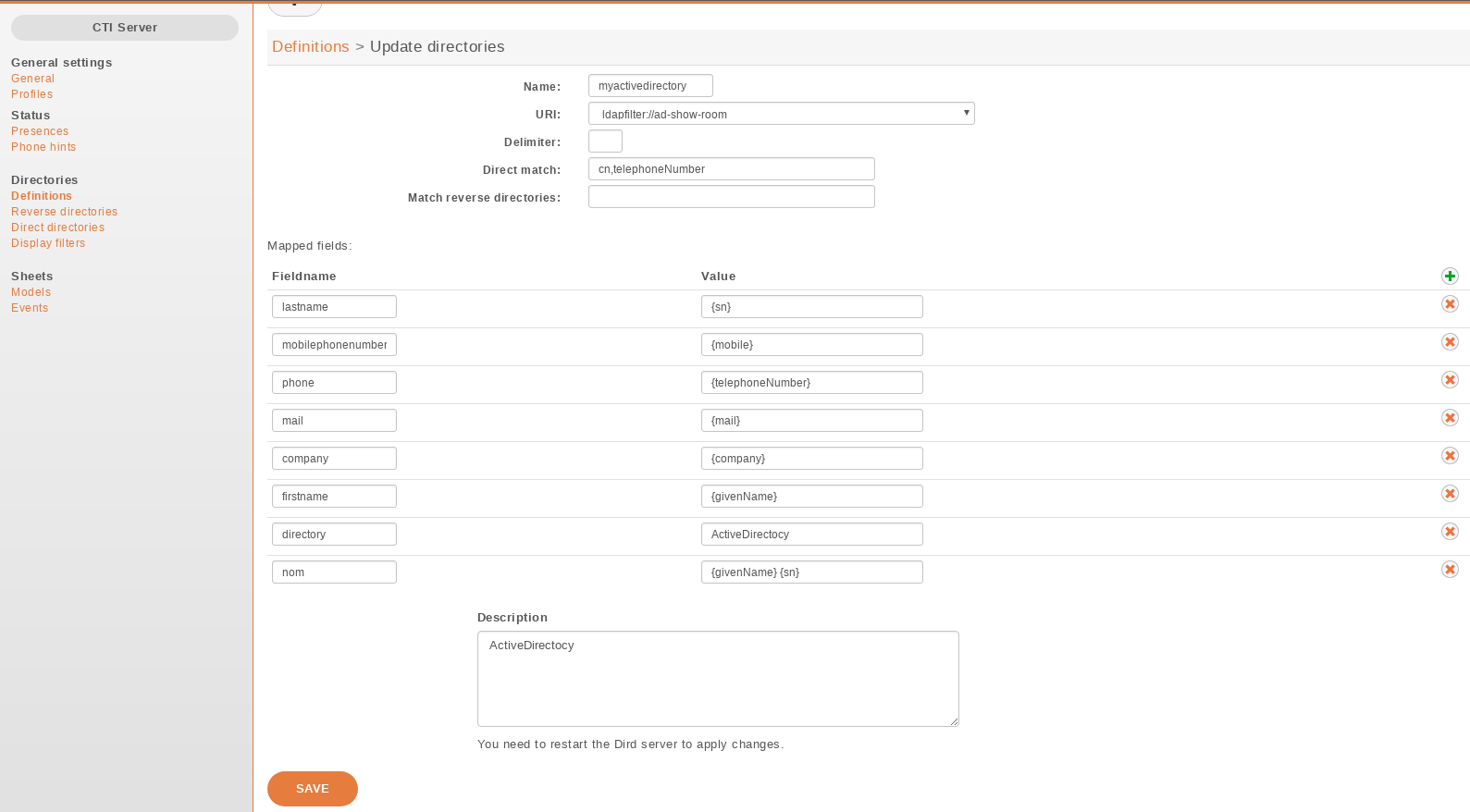
Add a file /etc/xivo-dird/sources.d/myactivedirectory.yml with the following content to
enable favorites on this source.
name: myactivedirectory  # the same name than the directory definition
unique_column: objectGUID
unique_column_format: binary_uuid
Adding the favorite column to your display
In the web interface under .
Edit the filter on which you which to enable favorites.
Add a column with the type favorite and display format favorite.
Customizing sources
Some configuration options are not available in the web interface. To add configuration to a source that is configured in the web interface, create a file in /etc/xivo-dird/sources.d/ with the key name matching your web interface configuration and add all missing fields.
Example:
adding a timeout configuration to a CSV web service source
name: my_csv_web_service
timeout: 16