Troubleshooting
No internet access
If the user looses access to the Internet, the application switches to a non-usable mode until access is regained (see screenshot below). The connection status display is materialized by a greeen circle when there is an internet access, grey otherwise.

Sending logs
If you encounter an unsual behaviour and you manage to reproduce it on your application, you can send the logs directly via the configuration and click on Send logs to support.
Warning: The logs are sent by email, you must therefore have a messaging system configured on your phone. You can ovveride the email to send it to yourself
Understanding logs:
All business code is part of module, some modules have been pinpointed to focus on some app behaviour such as:
[Permission] Related to permission granted by the user to the app
[Login] Login process and token renewal
[Notification] Local Notification for missed call and also remote push management registration/wake up
[System] Low level foreground process to keep the app awake when receiving VOIP calls
[WebSockets] Websockets lifecyle for both Xuc (CTI) and Asterisk (SIP)
[Webrtc] actions / events related to the protocol
[Audio] Ringing tones and audio routes
Required permissions
If you didn’t give all the authorizations needed to use the mobile app, this error message will be displayed the next time you open the application. This means the XiVO phone account is not active.
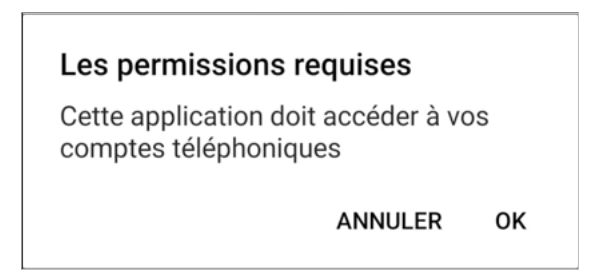
In this case, you should click the OK button and will be redirected to the settings.
If the phone is a “Samsung”, the phone accounts settings will be opened. You just have to activate the check mark next to XiVO.
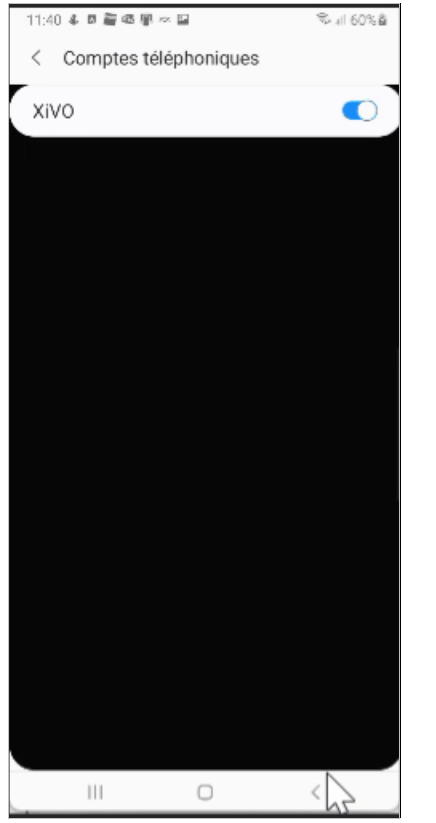
If the phone is not a Samsung, you will be redirected to the wrong settings. You will need to search in your phone settings where to activate the XiVO phone account.
Xiaomi stop battery optimization
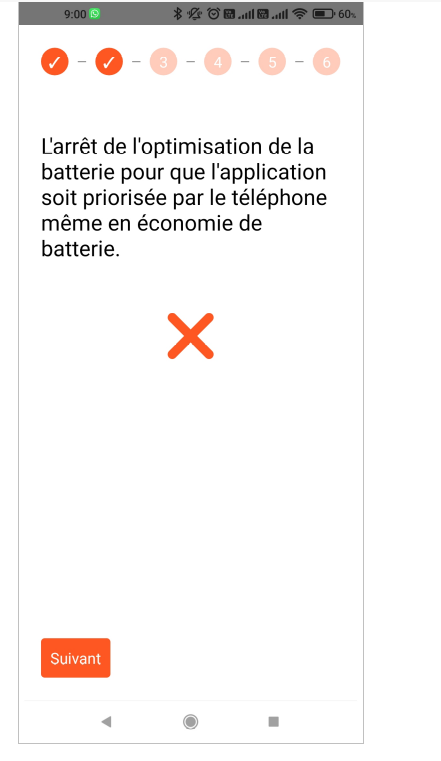
Xiaomi authorizations
In the settings of the Xivo application check if these settings are active:
Show on lock screen Show pop-up windows while browsing in the background
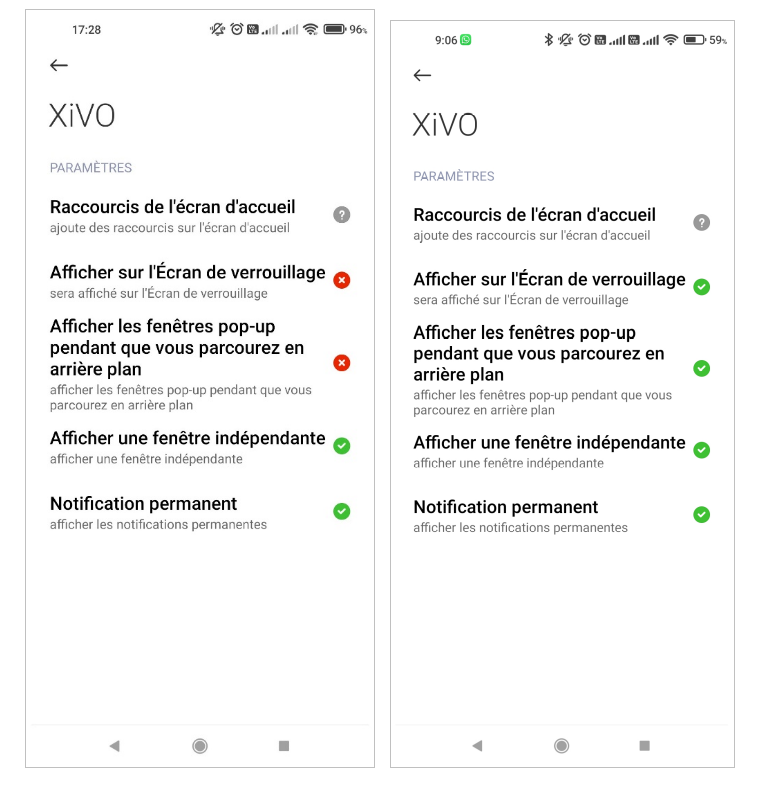
If you are in the above context, you may not receive calls when your phone is locked.
Xiaomi phone account
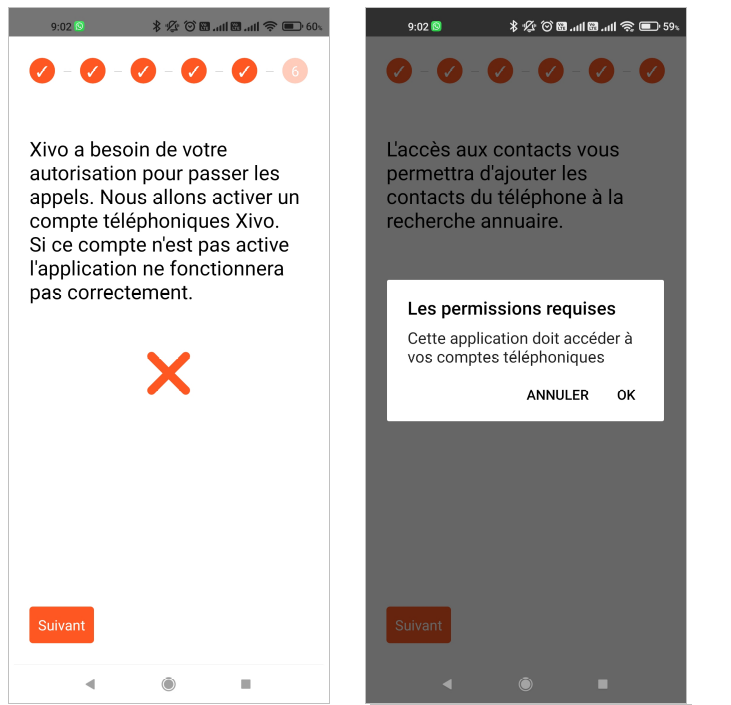
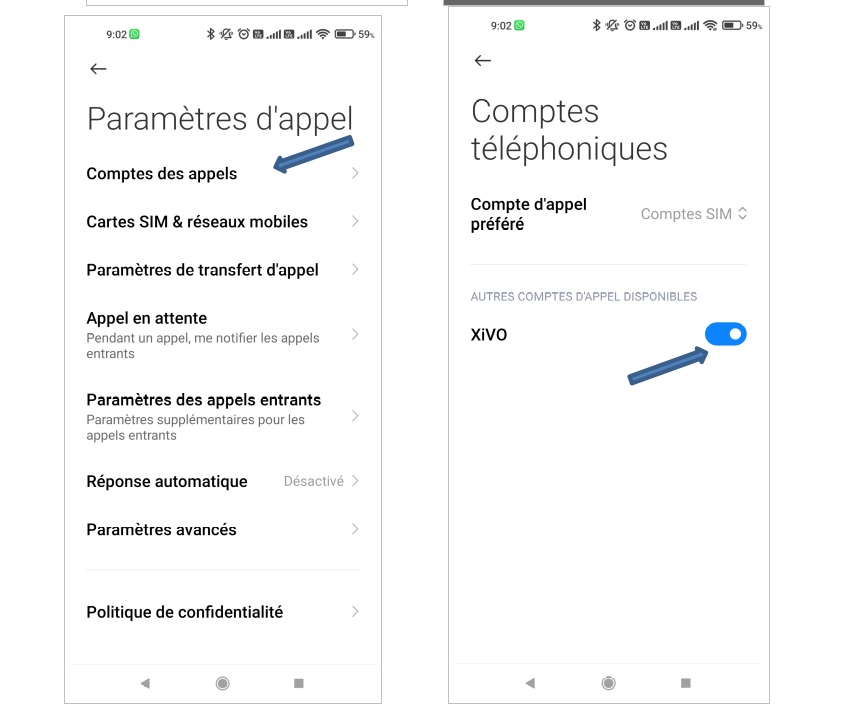
When activating the XiVO phone account (step 5), you need to :
Click Ok on the window Les permissions requises,
go to paramètres d’appel => Comptes des appels,
then in comptes téléphoniques you need to activate XiVO.