XiVO Connect Administration
This document describes how to administer XiVO Connect (a sorft fork of Element Web) using the Matrix Synapse backend and the Synapse-Admin interface.
It focuses exclusively on:
User Management
Roles & Permission Model
Moderation & Room Management
Contents:
1. Application Administration
1.1 User Management
User accounts are managed on the Synapse homeserver. Administrators can use Synapse-Admin (web UI) or the Synapse Admin API to manage user lifecycle and permissions that can be found at: https://admin.your-homeserver
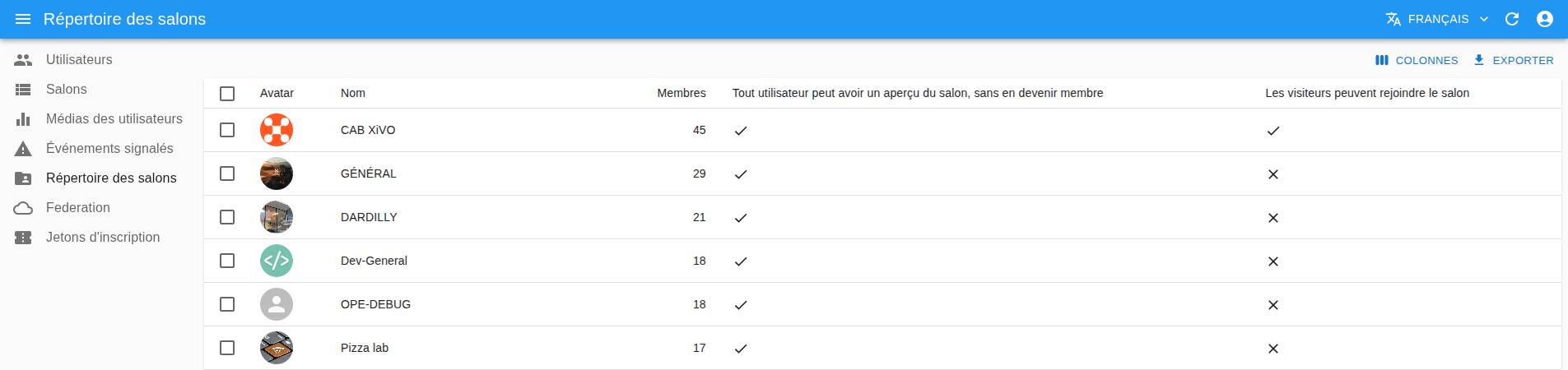
Available management capabilities include:
Listing all registered accounts
Creating new user accounts
Resetting or updating passwords
Deactivating or reactivating users
Managing user devices and access tokens
Editing user attributes (admin flag, display name)
Forcing logout from all devices
If you don’t want UI, you can use the Synapse Admin REST API directly through CLI. To be able to use it, you need to be an admin user and have an access token to be used as <ADMIN_TOKEN> that can be found in your Connect profile.
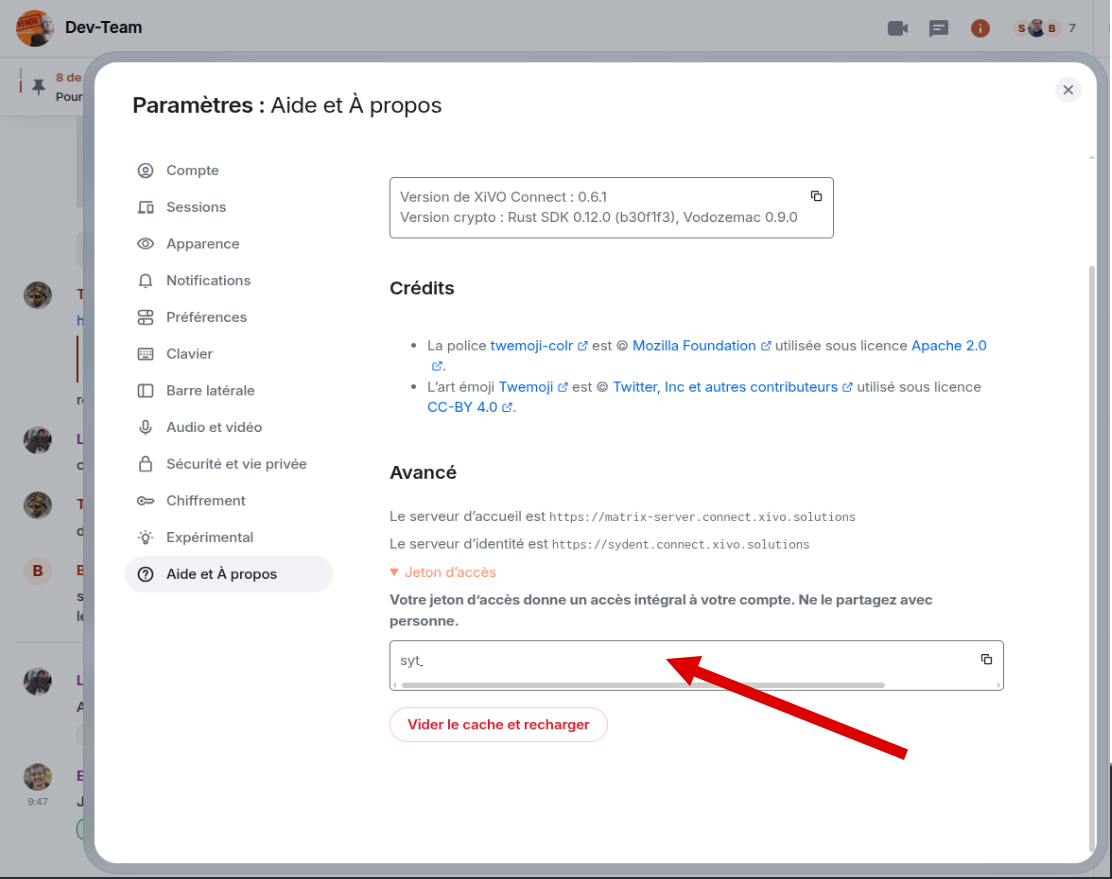
Example: Reset a user’s password via API
curl -XPOST -H "Authorization: Bearer <ADMIN_TOKEN>" \
  -H "Content-Type: application/json" \
  -d '{"password": "NewPassword123"}' \
  "https://your-homeserver/_synapse/admin/v1/reset_password/@user:domain"
Example: Force logout of all user’s devices
curl -XDELETE -H "Authorization: Bearer <ADMIN_TOKEN>" \
  "https://your-homeserver/_synapse/admin/v2/users/@user:domain/devices"
1.2 Role & Permission Model
Matrix uses a Power Level (PL) system to control permissions in rooms. These numeric levels define what a user can or cannot do.
Common values:
100 – Room Administrator (Owner)
50 – Moderator
0 – Standard user
Custom – Optional intermediate permissions
Power levels control:
Ability to kick, ban, mute other users
Editing room settings (name, avatar, topic)
Managing membership (invites, joins)
Sending restricted event types
Changing history visibility
Managing encryption settings
1.3 Moderation & Room Management
Moderation tasks in XiVO Connect involve both user-level and room-level controls.
Typical moderation actions:
Reviewing and resolving moderation reports
Kicking or banning users from specific rooms
Globally banning abusive accounts
Muting users (prevent sending messages)
Taking ownership of abandoned rooms
Editing room visibility (public, private, restricted)
Configuring join rules and membership policies
Example: Global user ban
curl -XPOST -H "Authorization: Bearer <ADMIN_TOKEN>" \
  -H "Content-Type: application/json" \
  -d '{ "user_id": "@user:domain" }' \
  "https://your-homeserver/_synapse/admin/v2/banned"
Example: Take ownership of a room with no active administrator
curl -XPOST -H "Authorization: Bearer <ADMIN_TOKEN>" \
  "https://your-homeserver/_synapse/admin/v1/rooms/!roomid:domain/make_room_admin"
Room-level administration includes:
Updating room name, topic, and avatar
Configuring invites, access control, and membership rules
Enabling or disabling encryption
Viewing and exporting membership lists
Cleaning up old or inactive rooms