Teams Presence Integration
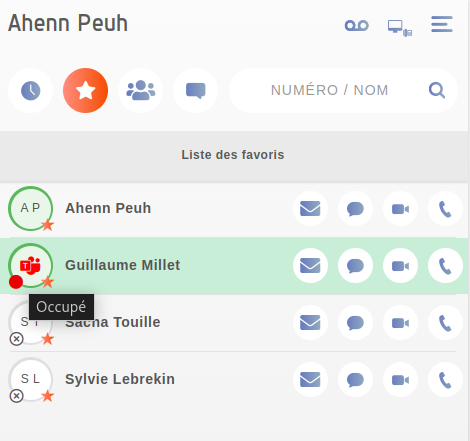
Starting from release Pollux, users can now access Microsoft Teams presence status directly within the UC Assistant interface.
This new feature allows the UC Assistant to display Teams presence information such as “Available”, “Busy”, or “OutOfOffice” synchronized from Microsoft Teams. For now, presence is displayed only during user searches or on the Favorites page, and there is no automatic refresh of the presence status.
Configuration
To enable Teams presence in your environment, please contact our support team. A member of our technical staff will assist you with the configuration and ensure the integration is properly connected to your Teams tenant.
Examples
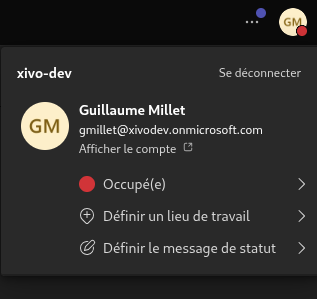
When you are in busy on teams:
This information is displayed on the UC Assistant